- opendesign.foundation
- Compare
- UltraSharp U4025QW vs Pen Display 16
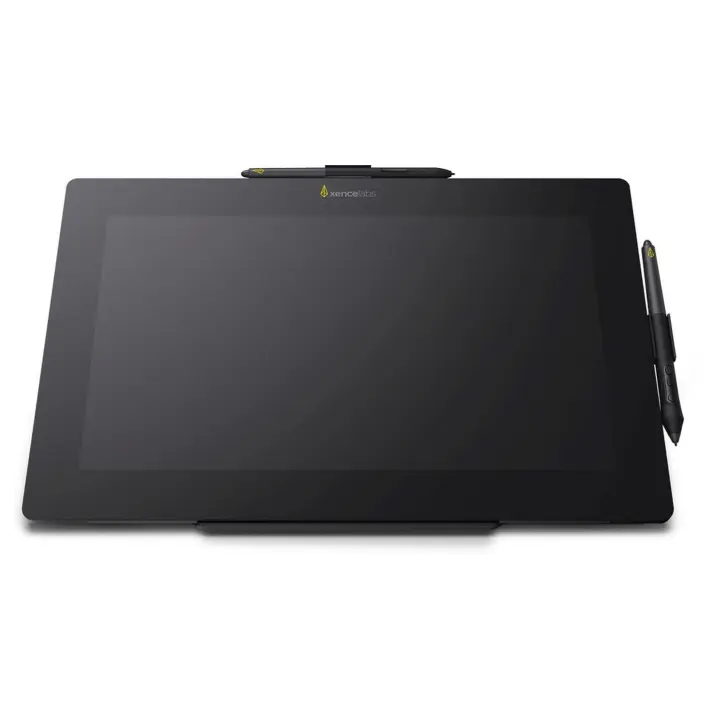
Dell UltraSharp U4025QW vs Xencelabs Pen Display 16
What UltraSharp U4025QW does better (2) and where Pen Display 16 wins (5) — every spec side by side.
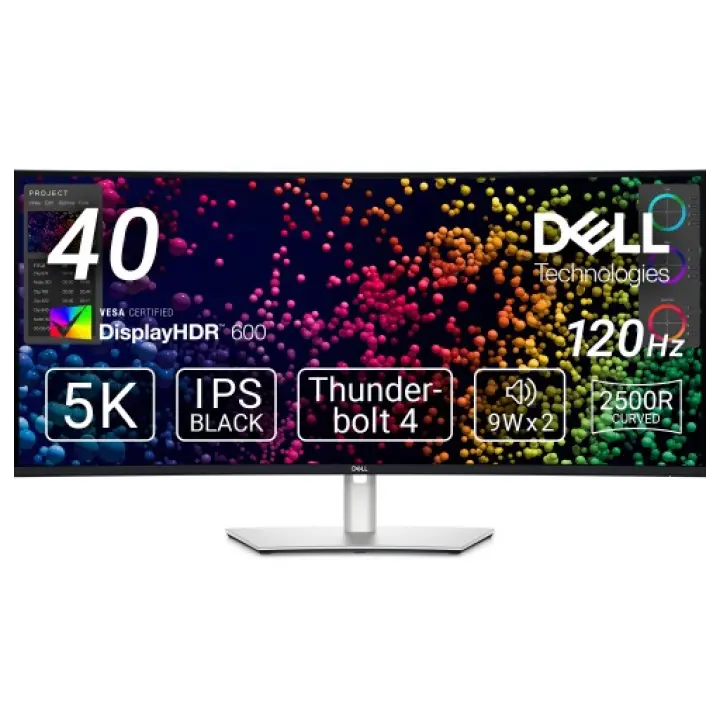
vs
8.8Screen9.8
7.9Connectivity8.1
3.2Design & ergonomics7.7
Dimensions
Size comparison
UltraSharp U4025QWPen Display 16
| UltraSharp U4025QW | Pen Display 16 | Difference | |
|---|---|---|---|
| Height | 622 mm | 259 mm | +363 mm |
| Width | 947 mm | 410 mm | +537 mm |
| Depth | 253 mm | 12 mm | +241 mm |
| Weight | 12.2 kg | 1.2 kg | +11 kg |
Drawn to the same scale from the official dimensions (front and side).
Why is UltraSharp U4025QW better than Pen Display 16?
- Brightness (typical)450 nits vs 300 nits+50%
- Screen size40″ vs 15.5″2.6×
Why is Pen Display 16 better than UltraSharp U4025QW?
- Pixel density139 ppi vs 259 ppi+86%
- Contrast ratio (static)2,000:1 vs 100,000:150×
- Response time5 ms vs 1 ms5×
- Weight12.22 kg vs 1.21 kg10.1×
- Panel typeIPS vs OLED
Specifications
Side by side
| Display | ||
| Screen size | 40″ | 15.5″ |
| Resolution | 5120 × 2160 | 3840 × 2160 |
| Resolution class | 5K | 4K UHD |
| Pixel density | 139 ppi | 259 ppi |
| Aspect ratio | 21:9 | — |
| Panel type | IPS | OLED |
| Refresh rate | 120 Hz | — |
| Brightness (typical) | 450 nits | 300 nits |
| Peak brightness (HDR) | 600 nits | — |
| Contrast ratio (static) | 2,000:1 | 100,000:1 |
| Response time | 5 ms | 1 ms |
| Anti-glare / matte screen | Yes | Yes |
| Curved screen | Yes | — |
| Colour | ||
| sRGB coverage | 100% | — |
| DCI-P3 coverage | 99% | — |
| Colour depth | 10 bit | — |
| HDR | DisplayHDR 600 | — |
| Pen & controls | ||
| Pressure levels | — | 8,192 |
| Tilt recognition | — | ±60° |
| Active area | — | 344.2 × 193.6 mm |
| Active area width | — | 344 mm |
| Active area height | — | 194 mm |
| Active area (surface) | — | 666 cm² |
| Pen resolution | — | 5,080 lpi |
| Battery-free pen | — | Yes |
| Pen with eraser | — | Yes |
| Multi-touch | — | No |
| Connectivity | ||
| USB-C video input (one cable) | Yes | Yes |
| USB-C charging (Power Delivery) | 140 W | — |
| Thunderbolt | Yes | — |
| KVM switch | Yes | — |
| HDMI inputs | 1 | — |
| DisplayPort inputs | 1 | — |
| USB hub | Yes | — |
| Ethernet (RJ45) | Yes | — |
| Daisy chain (DP MST) | Yes | — |
| Wireless connection | — | No |
| Built-in speakers | Yes | — |
| Compatibility | — | Windows, macOS |
| Design & ergonomics | ||
| Height adjustment | 150 mm | — |
| Pivot (portrait rotation) | No | — |
| Swivel | Yes | — |
| VESA mount | 100 × 100 mm | — |
| Weight | 12.22 kg | 1.21 kg |
| Width | 947 mm | 410 mm |
| Height | 622 mm | 259 mm |
| Depth | 253 mm | 12 mm |
| Product line | Dell UltraSharp | — |
Related comparisons
 vs
 Dell UltraSharp U4025QWvsLG UltraFine 32U990A
9.08.8
 vs
BenQ PD3225UvsDell UltraSharp U4025QW
8.59.0
 vs
BenQ SW272UvsDell UltraSharp U4025QW
8.49.0
vs
 Dell UltraSharp U4025QWvsViewSonic VP2786A-4K
9.08.4
 vs
 Xencelabs Pen Display 16vsHuion Kamvas 16 (Gen 3)
9.58.3
vs
 Xencelabs Pen Display 16vsXP-Pen Artist Pro 16 (Gen 2)
9.58.8