- opendesign.foundation
- Compare
- Kamvas Pro 16 Plus 4K vs Pen Display 24
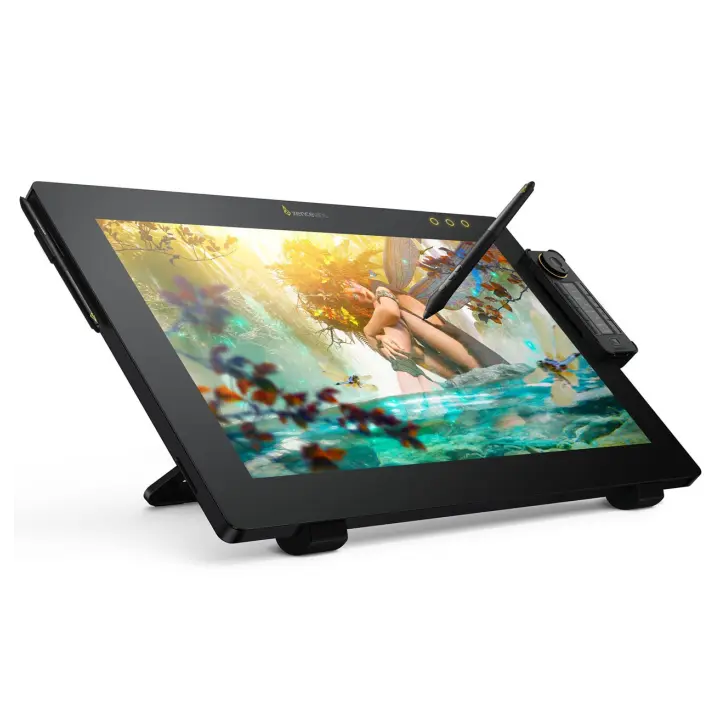
Huion Kamvas Pro 16 Plus 4K vs Xencelabs Pen Display 24
What Kamvas Pro 16 Plus 4K does better (1) and where Pen Display 24 wins (2) — every spec side by side.
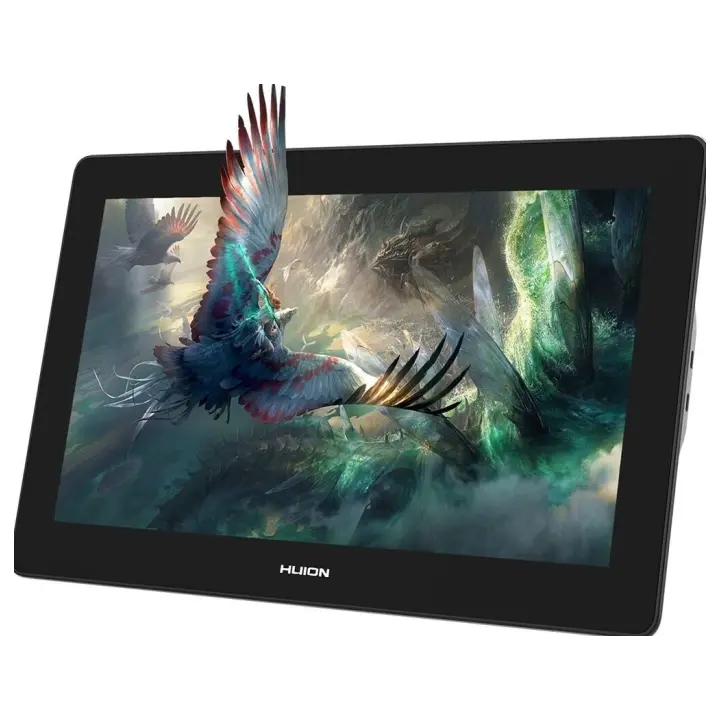
vs
7.2Design & ergonomics3.3
Dimensions
Size comparison
Kamvas Pro 16 Plus 4KPen Display 24
| Kamvas Pro 16 Plus 4K | Pen Display 24 | Difference | |
|---|---|---|---|
| Height | 257.4 mm | 388 mm | −130.6 mm |
| Width | 402.7 mm | 618 mm | −215.3 mm |
| Depth | 13 mm | 34.7 mm | −21.7 mm |
| Weight | 1.3 kg | 6 kg | −4.7 kg |
Drawn to the same scale from the official dimensions (front and side).
Why is Kamvas Pro 16 Plus 4K better than Pen Display 24?
- Weight1.27 kg vs 6 kg4.7×
Why is Pen Display 24 better than Kamvas Pro 16 Plus 4K?
- Active area (surface)672 cm² vs 1,563 cm²2.3×
- Screen size15.6″ vs 23.8″+53%
Specifications
Side by side
| Display | ||
| Screen size | 15.6″ | 23.8″ |
| Resolution | 3840 × 2160 | — |
| Resolution class | 4K UHD | — |
| Pixel density | 282 ppi | — |
| Aspect ratio | 16:9 | — |
| Panel type | IPS | — |
| Brightness (typical) | 200 nits | — |
| Contrast ratio (static) | 1,200:1 | — |
| Response time | 25 ms | — |
| Anti-glare / matte screen | Yes | — |
| Fully laminated screen | Yes | — |
| Colour | ||
| Colour depth | 8 bit | — |
| Pen & controls | ||
| Pressure levels | 8,192 | 8,192 |
| Tilt recognition | ±60° | — |
| Active area | 345.6 × 194.4 mm | 527 × 296.5 mm |
| Active area width | 346 mm | 527 mm |
| Active area height | 194 mm | 296 mm |
| Active area (surface) | 672 cm² | 1,563 cm² |
| Pen resolution | 5,080 lpi | — |
| Report rate | 220 RPS | — |
| Pen accuracy (centre) | ±0.3 mm | — |
| Battery-free pen | Yes | — |
| Pen | PW517 | — |
| Multi-touch | No | — |
| Connectivity | ||
| USB-C video input (one cable) | Yes | — |
| Wireless connection | No | — |
| Compatibility | Windows, macOS, Linux, Android | — |
| Design & ergonomics | ||
| Stand | Foldable Stand ST200 20°/45° | — |
| Weight | 1.27 kg | 6 kg |
| Width | 403 mm | 618 mm |
| Height | 257 mm | 388 mm |
| Depth | 13 mm | 35 mm |
| Product line | Huion Kamvas | — |
Related comparisons
 vs
vs
 Wacom One 13 TouchvsHuion Kamvas Pro 16 Plus 4K
vs
Wacom One 13 TouchvsHuion Kamvas Pro 16 Plus 4K
vs
 Huion Kamvas Pro 16 Plus 4KvsXP-Pen Artist 24
8.37.0
Huion Kamvas Pro 16 Plus 4KvsXP-Pen Artist 24
8.37.0
 vs
Huion Kamvas Pro 19vsHuion Kamvas Pro 16 Plus 4K
8.28.3
vs
Huion Kamvas Pro 19vsHuion Kamvas Pro 16 Plus 4K
8.28.3
 vs
XP-Pen Artist Pro 24 4K (Gen 2)vsHuion Kamvas Pro 16 Plus 4K
6.48.3
vs
vs
XP-Pen Artist Pro 24 4K (Gen 2)vsHuion Kamvas Pro 16 Plus 4K
6.48.3
vs
 Huion Kamvas Pro 16 Plus 4KvsHuion Kamvas Pro 13 2.5K
8.39.0
vs
Huion Kamvas Pro 16 Plus 4KvsHuion Kamvas Pro 13 2.5K
8.39.0
vs
 Huion Kamvas Pro 16 Plus 4KvsXP-Pen Artist 15.6 Pro V2
8.36.5
Huion Kamvas Pro 16 Plus 4KvsXP-Pen Artist 15.6 Pro V2
8.36.5