- opendesign.foundation
- Compare
- Pen Display 16 vs Artist Ultra 14
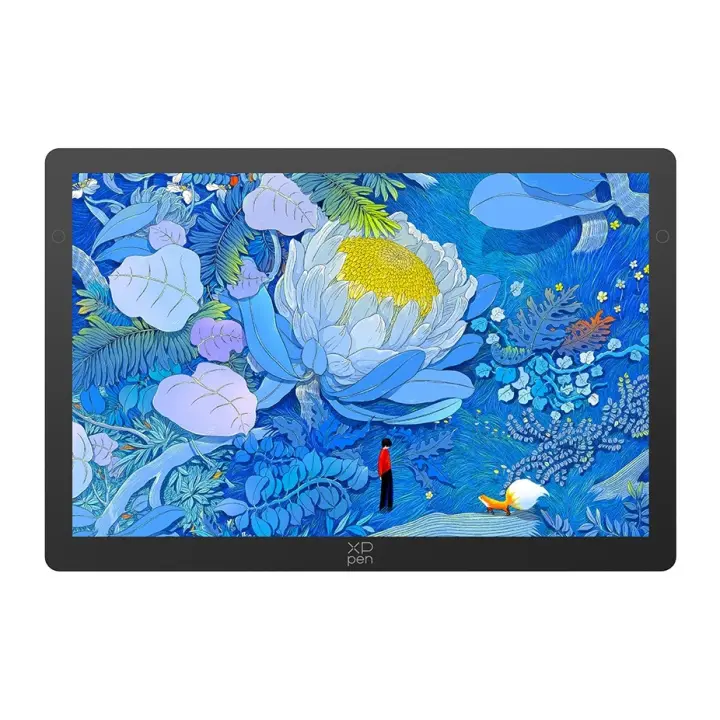
Xencelabs Pen Display 16 vs XP-Pen Artist Ultra 14
What Pen Display 16 does better (3) and where Artist Ultra 14 wins (4) — every spec side by side.
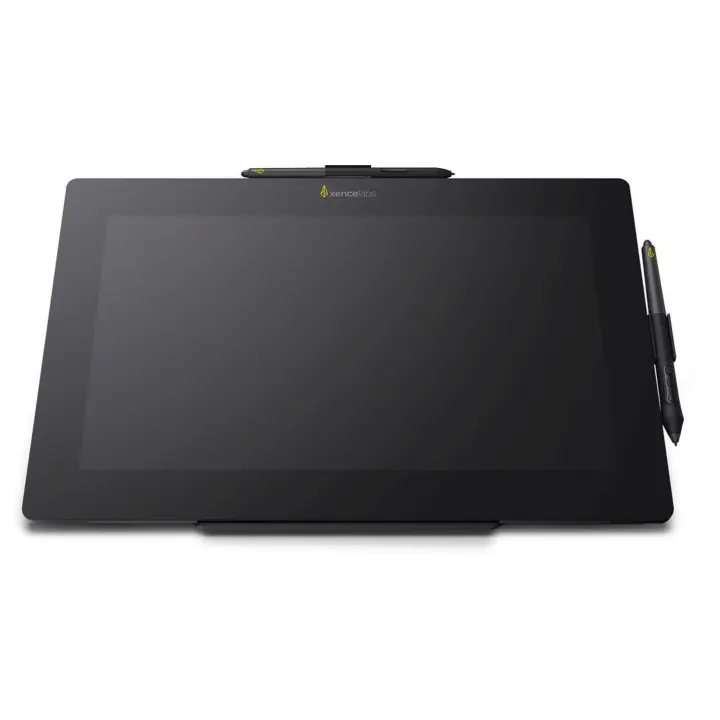
vs
9.7Screen9.4
4.2Pen & controls8.2
7.9Connectivity7.9
7.6Design & ergonomics9.4
Dimensions
Size comparison
Pen Display 16Artist Ultra 14
| Pen Display 16 | Artist Ultra 14 | Difference | |
|---|---|---|---|
| Height | 259 mm | 222 mm | +37 mm |
| Width | 410 mm | 330 mm | +80 mm |
| Depth | 12 mm | 6 mm | +6 mm |
| Weight | 1.2 kg | 0.7 kg | +0.5 kg |
Drawn to the same scale from the official dimensions (front and side).
Why is Pen Display 16 better than Artist Ultra 14?
- Pixel density259 ppi vs 243 ppi+7%
- Active area (surface)666 cm² vs 569 cm²+17%
- Screen size15.5″ vs 14″+11%
Why is Artist Ultra 14 better than Pen Display 16?
- Pressure levels8,192 vs 16,3842×
- Multi-touchNo · Pen Display 16: Yes
- Brightness (typical)300 nits vs 350 nits+17%
- Weight1.21 kg vs 0.72 kg+68%
Specifications
Side by side
| Display | ||
| Screen size | 15.5″ | 14″ |
| Resolution | 3840 × 2160 | 2880 × 1800 |
| Resolution class | 4K UHD | 3K |
| Pixel density | 259 ppi | 243 ppi |
| Aspect ratio | — | 16:10 |
| Panel type | OLED | OLED |
| Refresh rate | — | 90 Hz |
| Brightness (typical) | 300 nits | 350 nits |
| Contrast ratio (static) | 100,000:1 | 100,000:1 |
| Response time | — | 1 ms |
| Anti-glare / matte screen | Yes | Yes |
| Fully laminated screen | — | Yes |
| Colour | ||
| sRGB coverage | — | 99% |
| Adobe RGB coverage | — | 99% |
| DCI-P3 coverage | — | 99% |
| Colour depth | — | 10 bit |
| Pen & controls | ||
| Pressure levels | 8,192 | 16,384 |
| Tilt recognition | ±60° | ±60° |
| Active area | 344.2 × 193.6 mm | 301.8 × 188.6 mm |
| Active area width | 344 mm | 302 mm |
| Active area height | 194 mm | 189 mm |
| Active area (surface) | 666 cm² | 569 cm² |
| Pen resolution | 5,080 lpi | 5,080 lpi |
| Pen accuracy (centre) | — | ±0.4 mm |
| Battery-free pen | Yes | Yes |
| Pen with eraser | Yes | Yes |
| Multi-touch | No | Yes |
| Connectivity | ||
| USB-C video input (one cable) | Yes | Yes |
| Wireless connection | No | No |
| Compatibility | Windows, macOS | Windows, macOS, Linux, Android, ChromeOS |
| Design & ergonomics | ||
| Weight | 1.21 kg | 0.72 kg |
| Width | 410 mm | 330 mm |
| Height | 259 mm | 222 mm |
| Depth | 12 mm | 6 mm |
| Product line | — | XP-Pen Artist |
Related comparisons
 vs
vs
 Xencelabs Pen Display 16vsWacom Movink 13
9.59.6
vs
Xencelabs Pen Display 16vsWacom Movink 13
9.59.6
vs
 Xencelabs Pen Display 16vsHuion Kamvas Pro 13 2.5K
9.59.0
Xencelabs Pen Display 16vsHuion Kamvas Pro 13 2.5K
9.59.0
 vs
XP-Pen Artist Ultra 16vsXencelabs Pen Display 16
9.49.5
vs
vs
XP-Pen Artist Ultra 16vsXencelabs Pen Display 16
9.49.5
vs
 Xencelabs Pen Display 16vsXP-Pen Artist Pro 16 (Gen 2)
9.58.9
vs
Xencelabs Pen Display 16vsXP-Pen Artist Pro 16 (Gen 2)
9.58.9
vs
 Xencelabs Pen Display 16vsHuion Kamvas 13 (Gen 3)
9.58.6
Xencelabs Pen Display 16vsHuion Kamvas 13 (Gen 3)
9.58.6
 vs
XP-Pen Artist 12 (Gen 3)vsXencelabs Pen Display 16
9.19.5
vs
XP-Pen Artist 12 (Gen 3)vsXencelabs Pen Display 16
9.19.5