- opendesign.foundation
- Compare
- ProArt PA279CV vs ThinkVision P27u-20
Asus ProArt PA279CV vs Lenovo ThinkVision P27u-20
What ProArt PA279CV does better (1) and where ThinkVision P27u-20 wins (2) — every spec side by side.
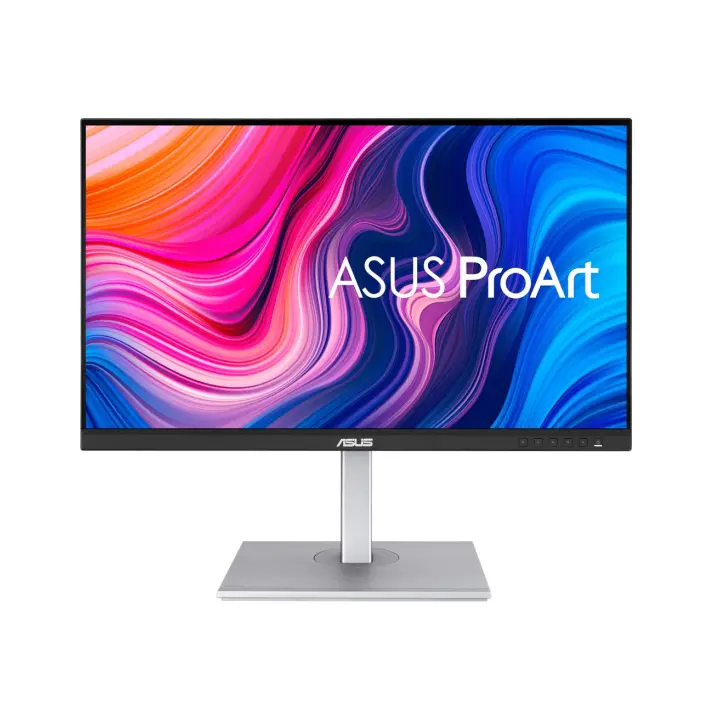
vs
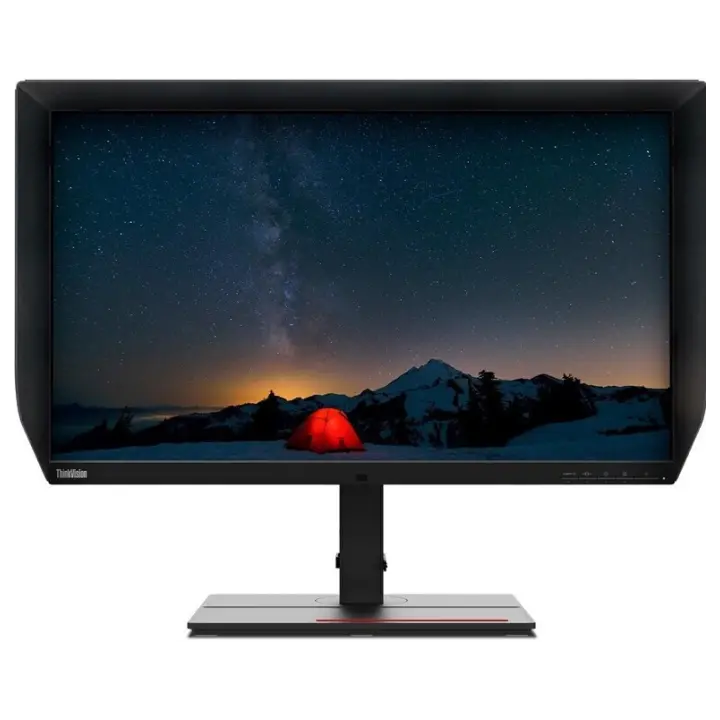
6.5Screen6.7
4.9Colour accuracy9.1
3.7Connectivity6.6
Why is ProArt PA279CV better than ThinkVision P27u-20?
- Response time5 ms vs 6 ms+20%
Why is ThinkVision P27u-20 better than ProArt PA279CV?
- HDRHDR10 vs DisplayHDR 400
- Brightness (typical)350 nits vs 400 nits+14%
Specifications
Side by side
| Display | ||
| Screen size | 27″ | 27″ |
| Resolution | 3840 × 2160 | 3840 × 2160 |
| Resolution class | 4K UHD | 4K UHD |
| Pixel density | 163 ppi | 163 ppi |
| Aspect ratio | 16:9 | 16:9 |
| Panel type | IPS | IPS |
| Refresh rate | 60 Hz | 60 Hz |
| Brightness (typical) | 350 nits | 400 nits |
| Peak brightness (HDR) | — | 450 nits |
| Contrast ratio (static) | 1,000:1 | 1,000:1 |
| Response time | 5 ms | 6 ms |
| Anti-glare / matte screen | Yes | Yes |
| Colour | ||
| sRGB coverage | 100% | 100% |
| Adobe RGB coverage | — | 99.5% |
| DCI-P3 coverage | — | 99.1% |
| Rec. 2020 coverage | — | 83.7% |
| Colour accuracy (ΔE, claimed) | ΔE 2 | — |
| Colour depth | 10 bit | 10 bit |
| HDR | HDR10 | DisplayHDR 400 |
| Connectivity | ||
| USB-C video input (one cable) | Yes | Yes |
| USB-C charging (Power Delivery) | 65 W | — |
| Thunderbolt | — | Yes |
| KVM switch | — | Yes |
| HDMI inputs | 2 | 2 |
| DisplayPort inputs | 1 | 1 |
| USB hub | Yes | Yes |
| Ethernet (RJ45) | — | Yes |
| Built-in speakers | Yes | Yes |
| Design & ergonomics | ||
| Height adjustment | 150 mm | — |
| Pivot (portrait rotation) | Yes | — |
| Swivel | Yes | — |
| VESA mount | 100 × 100 mm | — |
| Weight | 8.6 kg | — |
| Width | 614 mm | — |
| Height | 524 mm | — |
| Depth | 228 mm | — |
| Product line | ASUS ProArt | Lenovo ThinkVision |
Related comparisons
 vs
vs
 Asus ProArt PA279CVvsSamsung ViewFinity S8 S32B800P
6.66.1
vs
Asus ProArt PA279CVvsSamsung ViewFinity S8 S32B800P
6.66.1
vs
 Asus ProArt PA279CVvsDell UltraSharp U2722D
6.65.6
vs
Asus ProArt PA279CVvsDell UltraSharp U2722D
6.65.6
vs
 Asus ProArt PA279CVvsAsus ProArt PA278CV
6.64.3
vs
Asus ProArt PA279CVvsAsus ProArt PA278CV
6.64.3
vs
 Asus ProArt PA279CVvsLenovo ThinkVision P27q-20
6.66.4
vs
Asus ProArt PA279CVvsLenovo ThinkVision P27q-20
6.66.4
vs
 Asus ProArt PA279CVvsHuawei MateView GT
vs
Asus ProArt PA279CVvsHuawei MateView GT
vs
 Asus ProArt PA279CVvsLG UltraFine 27UL550
6.66.7
Asus ProArt PA279CVvsLG UltraFine 27UL550
6.66.7