- opendesign.foundation
- Compare
- One 13 Touch vs Artist Pro 19 (Gen 2)
Wacom One 13 Touch vs XP-Pen Artist Pro 19 (Gen 2)
What One 13 Touch does better (1) and where Artist Pro 19 (Gen 2) wins (3) — every spec side by side.

vs
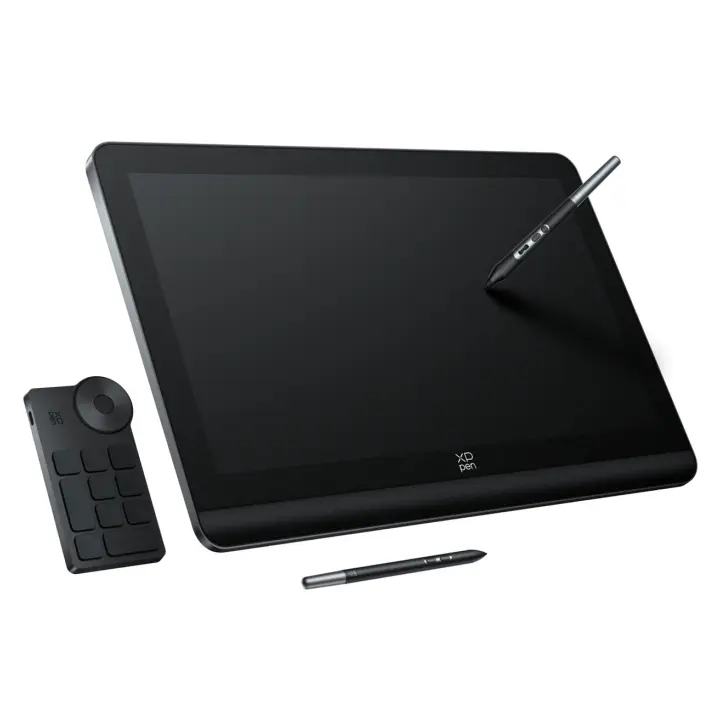
8.4Design & ergonomics5.1
Dimensions
Size comparison
One 13 TouchArtist Pro 19 (Gen 2)
| One 13 Touch | Artist Pro 19 (Gen 2) | Difference | |
|---|---|---|---|
| Height | 222 mm | 306.6 mm | −84.6 mm |
| Width | 336 mm | 460 mm | −124 mm |
| Depth | 12 mm | 21.5 mm | −9.5 mm |
| Weight | 0.9 kg | 2.2 kg | −1.3 kg |
Drawn to the same scale from the official dimensions (front and side).
Why is One 13 Touch better than Artist Pro 19 (Gen 2)?
- Weight0.9 kg vs 2.23 kg2.5×
Why is Artist Pro 19 (Gen 2) better than One 13 Touch?
- Pressure levels4,096 vs 16,3844×
- Active area (surface)426 cm² vs 941 cm²2.2×
- Screen size12.9″ vs 18.5″+43%
Specifications
Side by side
| Display | ||
| Screen size | 12.9″ | 18.5″ |
| Resolution | — | 3840 × 2160 |
| Resolution class | — | 4K UHD |
| Brightness (typical) | — | 250 nits |
| Fully laminated screen | — | Yes |
| Colour | ||
| sRGB coverage | — | 99.8% |
| Adobe RGB coverage | — | 96% |
| DCI-P3 coverage | — | 98% |
| Colour depth | — | 10 bit |
| Pen & controls | ||
| Pressure levels | 4,096 | 16,384 |
| Tilt recognition | — | ±60° |
| Active area | 294 × 145 mm | 409 × 230 mm |
| Active area width | 294 mm | 409 mm |
| Active area height | 145 mm | 230 mm |
| Active area (surface) | 426 cm² | 941 cm² |
| Pen resolution | — | 5,080 lpi |
| Report rate | — | 220 RPS |
| Pen accuracy (centre) | — | ±0.4 mm |
| Pen | — | X3 Pro Roller Stylus + X3 Pro Slim Stylus |
| Connectivity | ||
| USB-C video input (one cable) | — | Yes |
| Compatibility | — | Windows, macOS, Linux, Android, ChromeOS |
| Design & ergonomics | ||
| Weight | 0.9 kg | 2.23 kg |
| Width | 336 mm | 460 mm |
| Height | 222 mm | 307 mm |
| Depth | 12 mm | 22 mm |