- opendesign.foundation
- Compare
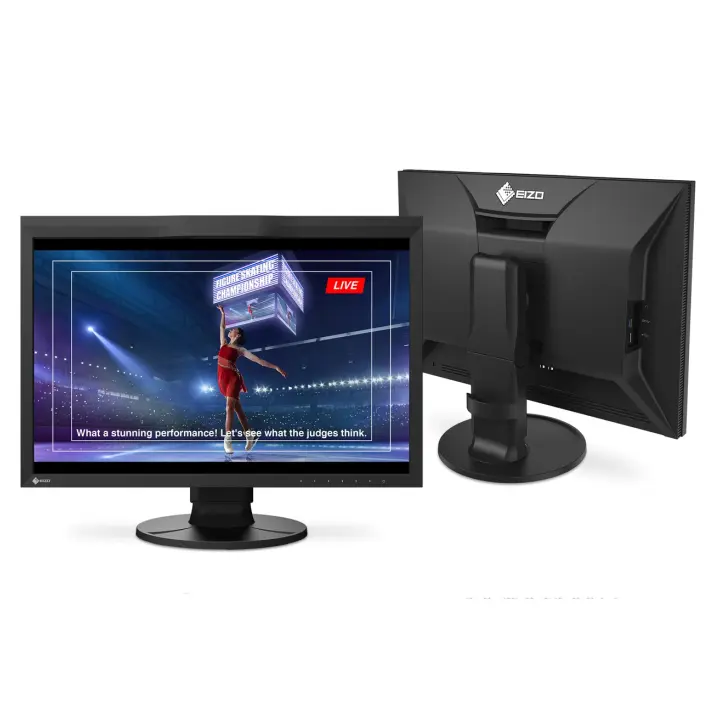
- ProArt PA32UCDMR vs ColorEdge CG2400SV
Asus ProArt PA32UCDMR vs EIZO ColorEdge CG2400SV
What ProArt PA32UCDMR does better (8) and where ColorEdge CG2400SV wins (1) — every spec side by side.
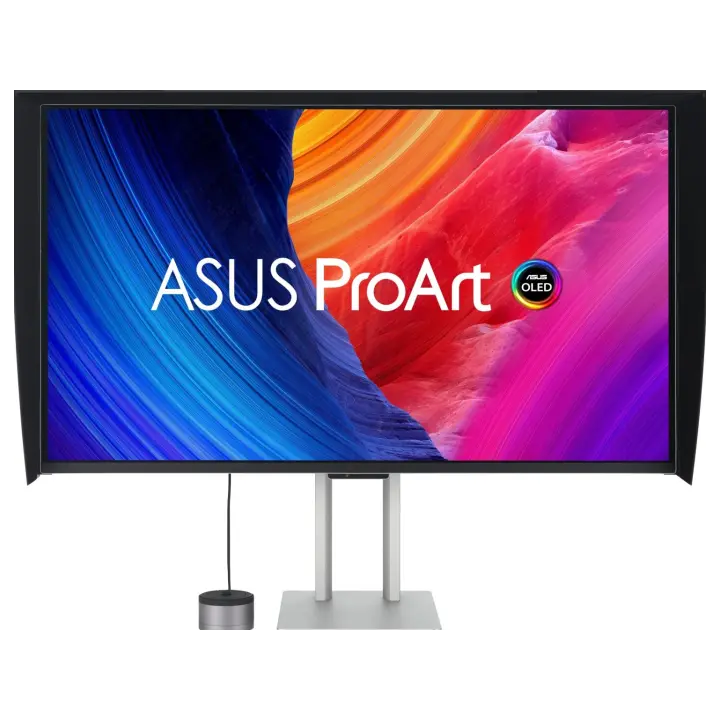
vs
9.7Screen3.4
9.6Colour accuracy5.9
9.2Connectivity3.8
2.6Design & ergonomics8.7
Why is ProArt PA32UCDMR better than ColorEdge CG2400SV?
- Pixel density140 ppi vs 94 ppi+49%
- Refresh rate240 Hz vs 61 Hz3.9×
- Contrast ratio (static)1,500,000:1 vs 1,800:1833.3×
- Response time0.1 ms vs 11 ms110×
- Panel typeOLED vs IPS
- HDRDisplayHDR True Black 400 vs HDR10
- HDMI inputs2 vs 12×
- Screen size31.5″ vs 24.1″+31%
Why is ColorEdge CG2400SV better than ProArt PA32UCDMR?
- SwivelNo · ProArt PA32UCDMR: Yes
Specifications
Side by side
| Display | ||
| Screen size | 31.5″ | 24.1″ |
| Resolution | 3840 × 2160 | 1920 × 1200 |
| Resolution class | 4K UHD | Full HD |
| Pixel density | 140 ppi | 94 ppi |
| Aspect ratio | 16:9 | 16:10 |
| Panel type | OLED | IPS |
| Refresh rate | 240 Hz | 61 Hz |
| Brightness (typical) | — | 400 nits |
| Contrast ratio (static) | 1,500,000:1 | 1,800:1 |
| Response time | 0.1 ms | 11 ms |
| Anti-glare / matte screen | Yes | Yes |
| Colour | ||
| sRGB coverage | 100% | — |
| Adobe RGB coverage | — | 99% |
| DCI-P3 coverage | 99% | 98% |
| Rec. 2020 coverage | 99% | — |
| Colour depth | 10 bit | 10 bit |
| Hardware calibration | — | Yes |
| Built-in calibration sensor | — | Yes |
| HDR | DisplayHDR True Black 400 | HDR10 |
| Uniformity compensation | — | Yes |
| Connectivity | ||
| USB-C video input (one cable) | Yes | — |
| USB-C charging (Power Delivery) | 96 W | — |
| Thunderbolt | Yes | — |
| KVM switch | — | Yes |
| HDMI inputs | 2 | 1 |
| DisplayPort inputs | 1 | 1 |
| USB hub | Yes | Yes |
| Built-in speakers | — | No |
| Design & ergonomics | ||
| Height adjustment | — | 155 mm |
| Pivot (portrait rotation) | Yes | Yes |
| Swivel | No | Yes |
| VESA mount | 100 × 100 mm | 100 × 100 mm |
| Weight | — | 8.5 kg |
| Width | — | 554 mm |
| Height | — | 408 mm |
| Depth | — | 245 mm |
| Product line | ASUS ProArt | EIZO ColorEdge |
Related comparisons
 vs
vs
 Asus ProArt PA32UCDMRvsApple Studio Display (2026)
9.39.6
vs
Asus ProArt PA32UCDMRvsApple Studio Display (2026)
9.39.6
vs
 Asus ProArt PA32UCDMRvsDell UltraSharp U5226KW
9.38.1
Asus ProArt PA32UCDMRvsDell UltraSharp U5226KW
9.38.1
 vs
BenQ PD2730SvsAsus ProArt PA32UCDMR
9.09.3
vs
BenQ PD2730SvsAsus ProArt PA32UCDMR
9.09.3
 vs
BenQ MA270SvsAsus ProArt PA32UCDMR
9.29.3
vs
BenQ MA270SvsAsus ProArt PA32UCDMR
9.29.3
 vs
Asus ProArt PA27UCDMRvsAsus ProArt PA32UCDMR
8.99.3
vs
Asus ProArt PA27UCDMRvsAsus ProArt PA32UCDMR
8.99.3
 vs
Dell UltraSharp U3226QvsAsus ProArt PA32UCDMR
8.99.3
vs
Dell UltraSharp U3226QvsAsus ProArt PA32UCDMR
8.99.3